
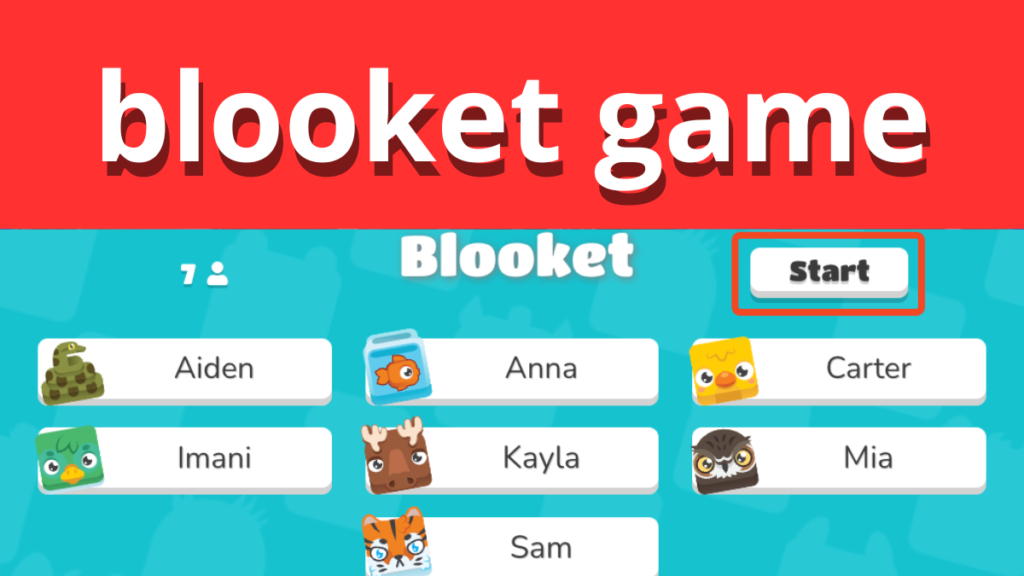

Blooket Game has become one of the most exciting and engaging platforms for students, teachers, and online learners. It combines education and entertainment to create a unique experience where learning feels like a game. Unlike traditional study methods, Blooket Game encourages participation, teamwork, and competitive fun, making it ideal for classrooms, online learning, and individual study sessions.
The main goal of Blooket Game is to make learning enjoyable while enhancing retention. By offering various game modes and interactive challenges, it allows users to explore knowledge creatively. This article will guide you step-by-step on how to play, host, and win Blooket Game, ensuring that you maximize engagement and learning potential.
Understanding Blooket Game
Blooket Game is an online platform that merges trivia, quizzes, and gamified learning. It allows teachers and students to participate in interactive quizzes, challenge each other, and track progress. The games are visually appealing, easy to play, and designed to cater to different age groups. Blooket Game is not just about answering questions; it encourages strategy, teamwork, and speed, making it highly addictive for learners.
There are several types of Blooket games, including Classic Quiz, Tower Defense, Gold Quest, and Battle Royale. Each mode offers a unique challenge and learning experience. For instance, Tower Defense requires players to defend their base while answering questions correctly, while Gold Quest rewards players for collecting points strategically. Blooket Game effectively combines action and education, keeping users motivated to learn while having fun.
How to Create a Blooket Account
Creating a Blooket Game account is quick and free. Start by visiting the official Blooket website and clicking on the sign-up option. You can register using an email account or a Google account. Once signed up, the dashboard provides access to existing games, your created sets, and live hosting options.
After setting up your account, it’s time to create your first question set. Enter questions that are clear, concise, and relevant to your topic. Blooket Game allows customization of answer choices, point values, and time limits. Designing engaging questions ensures that players remain motivated and excited to participate in your Blooket Game.
How to Host a Blooket Game
Hosting a Blooket Game is simple and highly customizable. First, select a question set from your dashboard or create a new one. Choose a game mode that suits your audience. For classrooms, modes like Classic Quiz or Tower Defense work best as they encourage interaction and engagement.
Next, adjust the game settings, including time per question, point values, and difficulty levels. Invite players using a unique Game ID generated by Blooket Game. Hosting effectively requires monitoring player progress, encouraging participation, and creating a fun environment. Proper preparation ensures a smooth Blooket Game session with maximum engagement.
How to Join a Blooket Game
Joining a Blooket is straightforward. Players can enter the Game ID provided by the host on the Blooket website. This allows them to access the game and participate in real-time. Joining is possible from any device with an internet connection, making it convenient for students and remote learners.
Once inside the game, players answer questions based on the selected set. Timing, accuracy, and strategy are crucial to gaining points and achieving high scores. Blooket offers multiple game modes, and each requires specific strategies to succeed. Players can learn to adjust quickly to the format, increasing their chances of winning while having fun.
Strategies to Win Blooket Games
Winning a Game requires a combination of knowledge, speed, and strategy. For Classic Quiz mode, focus on answering correctly and quickly, as points accumulate based on speed. In Tower Defense mode, balance answering questions with defending your base effectively.
Team-based strategies are also important in multiplayer games. Communicate with your team, coordinate answers, and plan movements strategically. Avoid common mistakes such as rushing without accuracy or ignoring the game’s rules. Blooket rewards consistent performance, so understanding each game mode is essential to achieving victory.
Advanced Tips and Tricks
Blooket Game can also be used for homework, review sessions, and skill development. Teachers can assign game sets to students to practice independently, track progress, and encourage competition. Combining Blooket with other learning platforms enhances the learning experience, ensuring knowledge retention and engagement.
For experienced players, experimenting with game modes and custom question sets keeps the experience fresh. Teachers can use insights from student performance to adjust question difficulty and track improvement over time. Blooket Game’s versatility makes it not only fun but an effective educational tool when used strategically.
Conclusion
Blooket Game is a powerful platform that transforms learning into an interactive, enjoyable experience. From creating an account to hosting and joining games, the process is simple and effective. By understanding game modes, using strategic approaches, and designing engaging questions, users can maximize both fun and educational value.
Whether you are a teacher, student, or online learner, Blooket provides endless opportunities for learning and engagement. Experiment with different game types, monitor progress, and enjoy the challenge of competing while improving knowledge retention.
FAQs
What is a Blooket Game and how does it work?
Blooket is an online platform that allows users to play, host, and join interactive quiz-based games. Players answer questions in various modes to earn points and compete.
Can I play Blooket for free?
Yes, Blooket is free to use. Users can sign up, join games, and access multiple game modes without any cost.
How many players can join a single Blooket game?
Blooket Game allows up to 60 players to join a single live game. This makes it suitable for classrooms, study groups, or online competitions.
How do I create my own question sets?
After creating a free account, you can design custom question sets on Blooket by adding questions, multiple-choice answers, and point values.
What are the best strategies to win in Blooket?
Focus on accuracy, speed, and understanding the game mode. For team games, coordinate with players. Study content beforehand for quiz-based modes.
Can Blooket be used for online homework?
Yes, teachers can assign games as homework, allowing students to practice independently and track their learning progress.
Are there any age restrictions to play Blooket?
Blooket Game is suitable for students of various ages, typically recommended for grades 3 and above.
How do I troubleshoot common Blooket login or joining issues?
Ensure stable internet connection, use the correct Game ID, and clear browser cache if issues persist. Blooket Game also offers support guides for troubleshooting.