
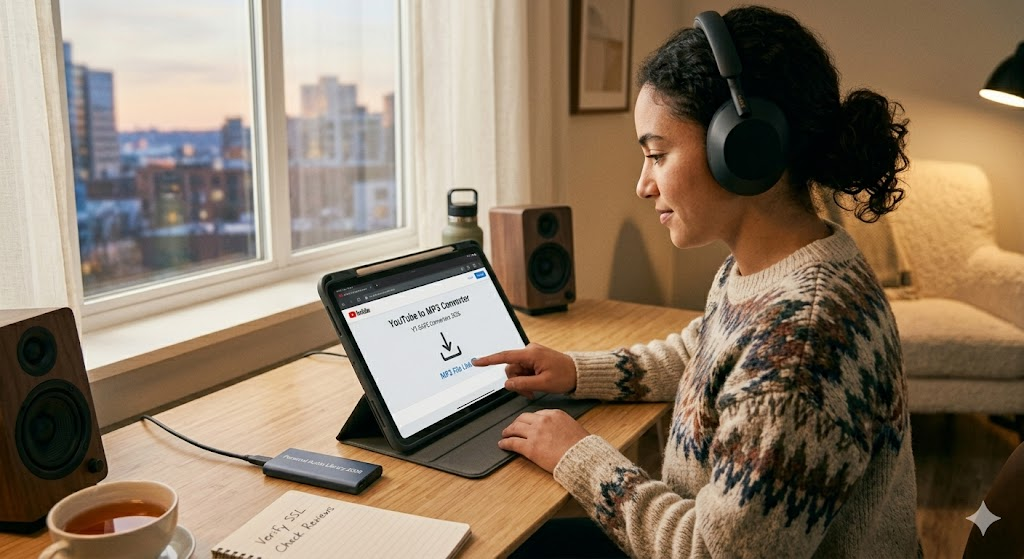

Do you ever find a great song or podcast on YouTube and wish you could listen to it offline? We have all been there. Using a YouTube to MP3 tool is a popular way to save your favorite audio tracks directly to your phone or computer. It is a quick process that lets you enjoy your media without needing a constant internet connection. However, with so many options available today, it is important to know which tools are safe and how to use them the right way.
In this guide, I will share my personal experience and the best tips to help you find a reliable youtube to mp3 converter. We will look at how to stay safe online and respect copyright rules while you build your personal offline music library.
What Is a YouTube to MP3 Converter?
A youtube to mp3 converter is a special tool that takes the audio track from a video and saves it as a small, easy-to-play music file. Instead of keeping the whole video, these platforms strip away the visuals. This leaves you with just the sound, which takes up much less space on your device. Whether you use a website or a downloadable program, the goal is to make your audio portable and accessible anytime.
How the Conversion Process Actually Works
When you use a youtube to mp3 tool, there is no “magic” involved. Most of these services work by acting as a bridge between the video link you provide and your storage folder. The tool “demultiplexes” the file, which is just a fancy way of saying it separates the video stream from the audio stream. Once the process is finished, the tool gives you an MP3 file that you can play on almost any music player, phone, or car stereo system.
Why Quality Matters for Your Audio
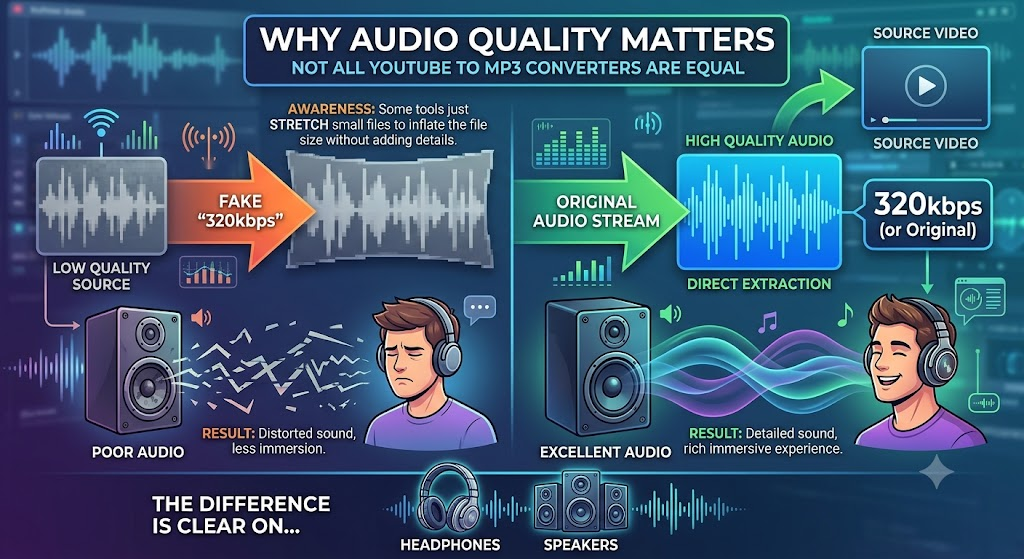
Not all youtube to mp3 files are created equal. If you see a site claiming to offer “320kbps” quality, be a little skeptical. Many free online sites just take a lower-quality audio file and stretch it to make the file size bigger. This does not actually improve the sound quality. For the best experience, look for a tool that extracts the original high-quality audio stream directly from the source. Good audio makes a big difference when you are listening through headphones or high-quality speakers.
Keeping Your Device Safe Online
The internet is full of “digital landmines.” Some youtube to mp3 sites are cluttered with fake “Download” buttons or aggressive pop-up ads. To keep your device safe, always follow these three rules:
- Use an Ad-Blocker: This is your best defense against annoying redirects and accidental clicks.
- Avoid Suspicious Files: Never download a file that ends in .exe if you are just trying to get a music track.
- Check the URL: Only use tools that you trust or that have good reviews from other users on platforms like Reddit.
Desktop Software vs. Online Tools
You have two main choices for your youtube to mp3 conversion needs: web-based tools or desktop applications. Online converters are super convenient because they work on any browser. However, they can be unstable or show too many ads. Desktop apps, on the other hand, are often more secure and faster. They handle the conversion on your own machine, which usually means less risk of malware. If you convert audio files often, I highly recommend installing a dedicated, reputable software program.
Understanding Legal and Copyright Boundaries
Before you convert a youtube to mp3 file, please remember to play by the rules. It is perfectly fine to download videos you own or content that is in the public domain. However, converting copyrighted music or videos without permission can break YouTube’s Terms of Service and local copyright laws. Always treat content creators with respect. Only use these tools for personal, offline listening, and never try to sell or distribute the audio files you create.
Troubleshooting Common Conversion Errors
Sometimes, a youtube to mp3 converter might fail to load your link. This can happen if the video is restricted, private, or blocked in your country. If you see an error, first check if the video is still public. If it is, try refreshing the page or clearing your browser cache. In many cases, using a different tool or a reliable desktop converter will solve the problem instantly. Don’t waste time on a site that refuses to work—there are plenty of other safe options out there.
Recommended Tools for 2026
After testing various services, I suggest choosing tools that are ad-free and provide clear output options. Some of the most reliable youtube to mp3 solutions this year include MediaHuman and 4K Video Downloader. These are desktop-based, meaning they are generally much safer than random websites. They also allow for batch downloading, which is a huge time-saver if you are trying to save an entire playlist or a collection of podcasts for a long road trip.
Tips for Managing Your New MP3 Library
Once you have your youtube to mp3 files, you need a way to organize them. A messy folder with long, confusing file names is no fun to browse. Before you save the final file, try to edit the metadata. This includes the artist’s name, the album title, and even the cover art. Many good converters have a built-in feature to do this for you. When your files are labeled correctly, your music app can display them properly, making your library look clean and professional.
Why Speed and Stability Are Important
When you have a big list of videos, you don’t want to wait an hour for each one to convert. A good youtube to mp3 tool should be fast and stable. If you find yourself clicking “Convert” over and over again, it is time to switch to a more powerful, dedicated app. Batch support is a key feature to look for. It allows you to queue up multiple links and walk away while the software handles the heavy lifting in the background.
Conclusion
Taking your audio offline is a great way to save data and enjoy your favorite content anywhere. By using a safe youtube to mp3 method, you can build a library that works perfectly for your lifestyle. Remember to prioritize security, respect the creators who made the content, and always choose quality over speed. Now that you know the basics, you are ready to start creating your own offline collection today!
Comparison of Popular Conversion Methods
| Feature | Online Converters | Desktop Software |
| Safety | Lower (Risk of ads/malware) | Higher (More secure) |
| Speed | Depends on internet | Very Fast |
| Batch Support | Usually No | Often Yes |
| Ease of Use | Very Simple | Requires Installation |
| Metadata Editing | Limited | Advanced |
Frequently Asked Questions
1. Is using a youtube to mp3 converter safe?
Yes, if you use reputable software or websites and keep your antivirus active. Avoid sites with too many pop-up ads.
2. Is it legal to convert YouTube videos to MP3?
It is generally legal for personal, private use. However, you should not share or sell these files, as that violates copyright laws.
3. Does this hurt the quality of the original audio?
It depends on the tool. Poor-quality converters will lower the sound fidelity. Use tools that support high-bitrate settings like 320kbps.
4. Can I use these tools on my mobile phone?
Many online converters work on mobile browsers, but desktop apps are generally safer and more powerful for handling files.
5. How can I avoid viruses when downloading?
Never click on “Allow Notifications” and never run .exe or .pkg files from untrusted sites. Use a trusted converter.
6. Why do some videos not convert?
The video might be age-restricted, private, or have regional locks. Some tools also have trouble with newer copyright-protected videos.